
Navigating AWS IAM Policies
Restricting Access to Billing and Cost Management

My name is Natalie. I'm a Staff Cloud Engineer, who also enjoys working on building and automating various tools that help the development teams be more productive and happy. What motivates me at work is the fast pace, team orientation, and creative environment, always new challenges. I'm passionate about helping make infrastructure more accessible. I love solving hard problems and "all things containers." Occasionally, I blog or speak at conferences. Currently, I am learning and blogging about Rust. I'm a technical mentor. In my spare time, I hike or camp with my aussiedoodle Chai and stand-up paddle (SUP) across the Bay Area, CA.
You most likely heard that AWS has recently retired AWS Identity and Access Management (IAM) actions for the Billing, Cost Management, and Account Consoles under the service prefix aws-portal and two actions under the purchase order namespace.
These have been replaced by more granular, service-specific permissions, enhancing control over Billing, Cost Management, and Account Services access. As a result, if your AWS organization has yet to set up strict access controls, you might now find that all members can view sensitive financial information such as billing, taxes, and cost data.
Only some employees in an AWS Organization need or should have access to sensitive financial details like billing and taxes. This kind of information is typically meant for the eyes of specific departments, such as Finance or Accounting.
One of the ways to address this is to create a policy to restrict access to Billing, Cost Management, Account Services, and Tax information. A practical approach is to develop an IAM Policy that specifically limits access and apply it across the AWS Organization at the AWS Account level. It’s important to note that the implementation of this policy will vary based on your Organization’s account setup, whether it’s IAM policy-based, uses SSO with permission sets, or Service Control Policies (SCP). For more detailed guidance on these setups, please review the AWS documentation.
IAM Policy Example
Here’s an IAM policy snippet designed to deny access to various Billing and Cost-related actions across AWS account resources:
{
    "Version": "2012-10-17",
    "Statement": [
        {
            "Sid": "DenyBillingViewOnHomepage",
            "Effect": "Deny",
            "Action": [
                "aws-portal:View*",
                "billing:*",
                "purchase-orders:*",
                "tax:*",
                "payments:*",
                "cur:*",
                "ce:*"
            ],
            "Resource": "*"
        }
    ]
}
Tip
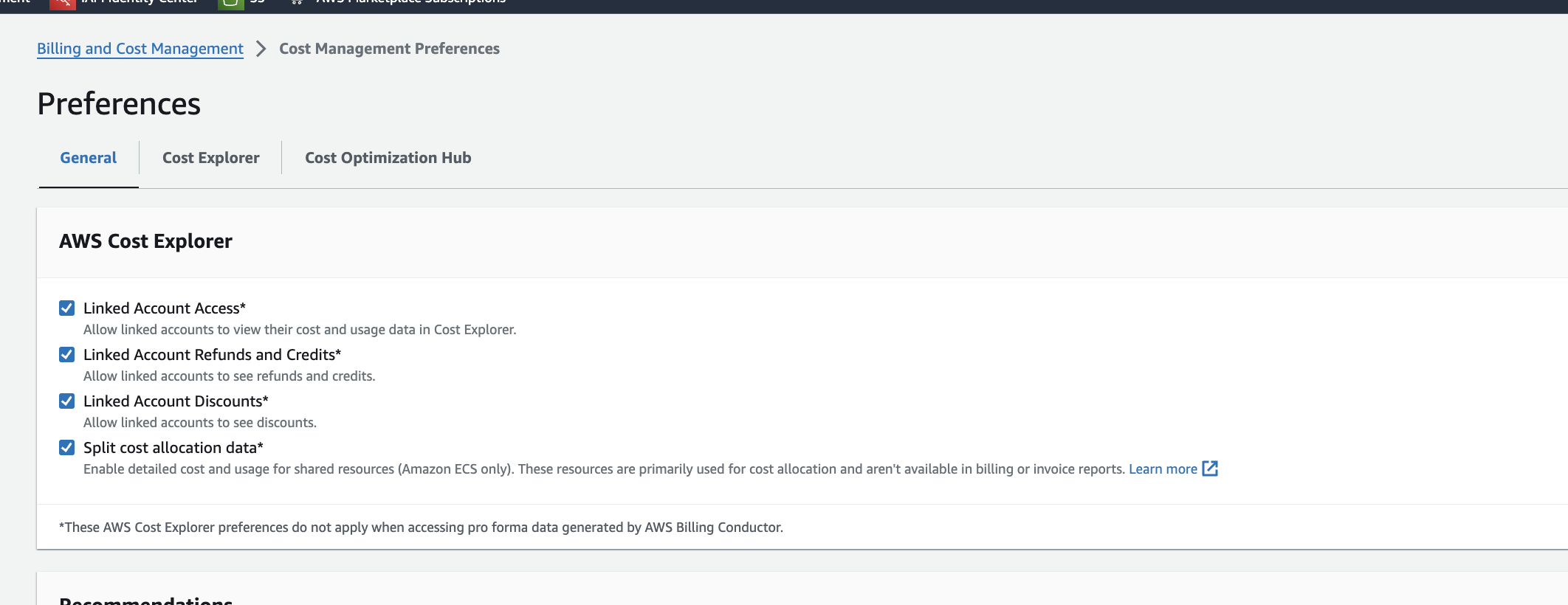
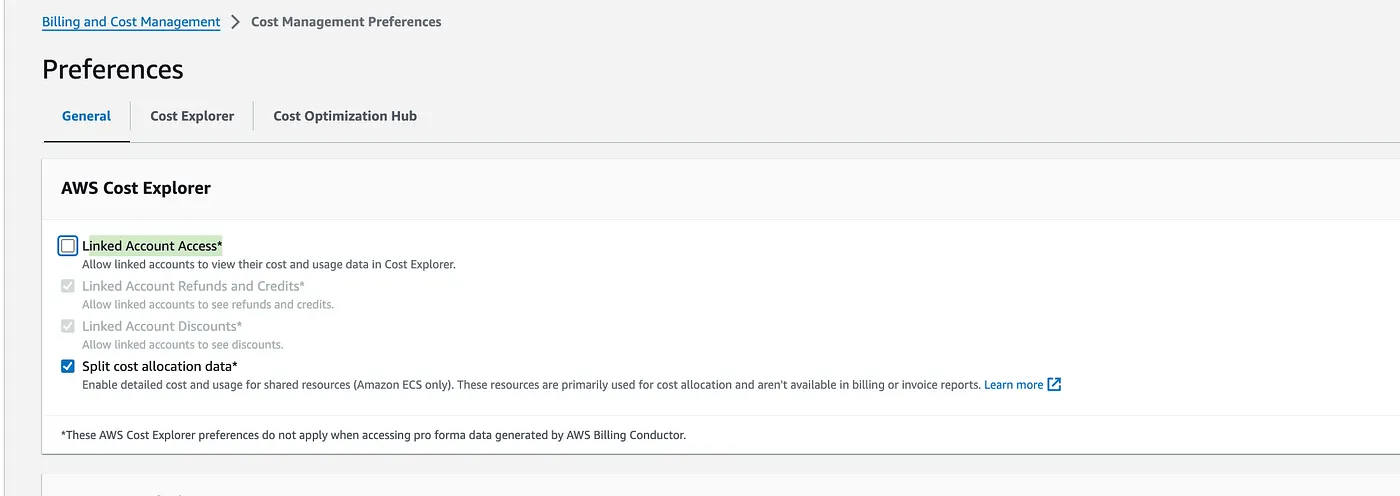
Unchecking “Linked Account Access” in Cost Management Preferences under Billing and Cost Management might seem like a quick fix to restrict access to cost and usage data in AWS Cost Explorer and the AWS Console HomeView. However, this doesn’t completely solve the issue, as users will still see a link to access Bills, Tax information, etc. I recommend implementing a comprehensive IAM policy rather than relying on this setting.
Thank you.

